Redesigning internal tools with AI
Role
UX Design Intern
Timeline
June 2026 - August 2026
Team
UMG Collaboration Tech
Tools/Skills
Figma, Gemini Enterprise Agent Platform, MCP, Codex, MS Power Platform
Highlights
Redesigned 5 internal apps, including a hardware management platform tracking 2,000+ assets
 Figma
Figma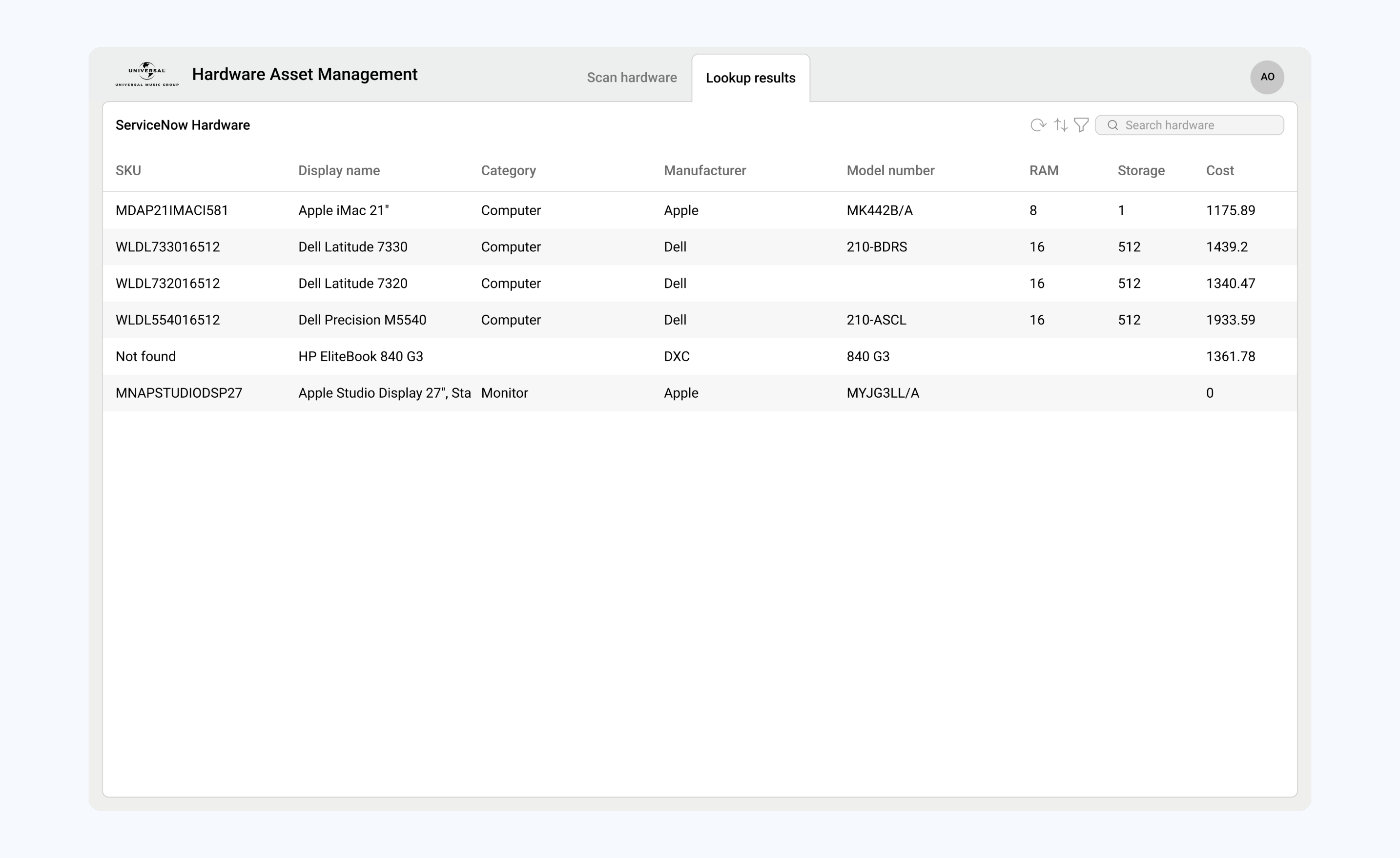
 Codex
Codex Gemini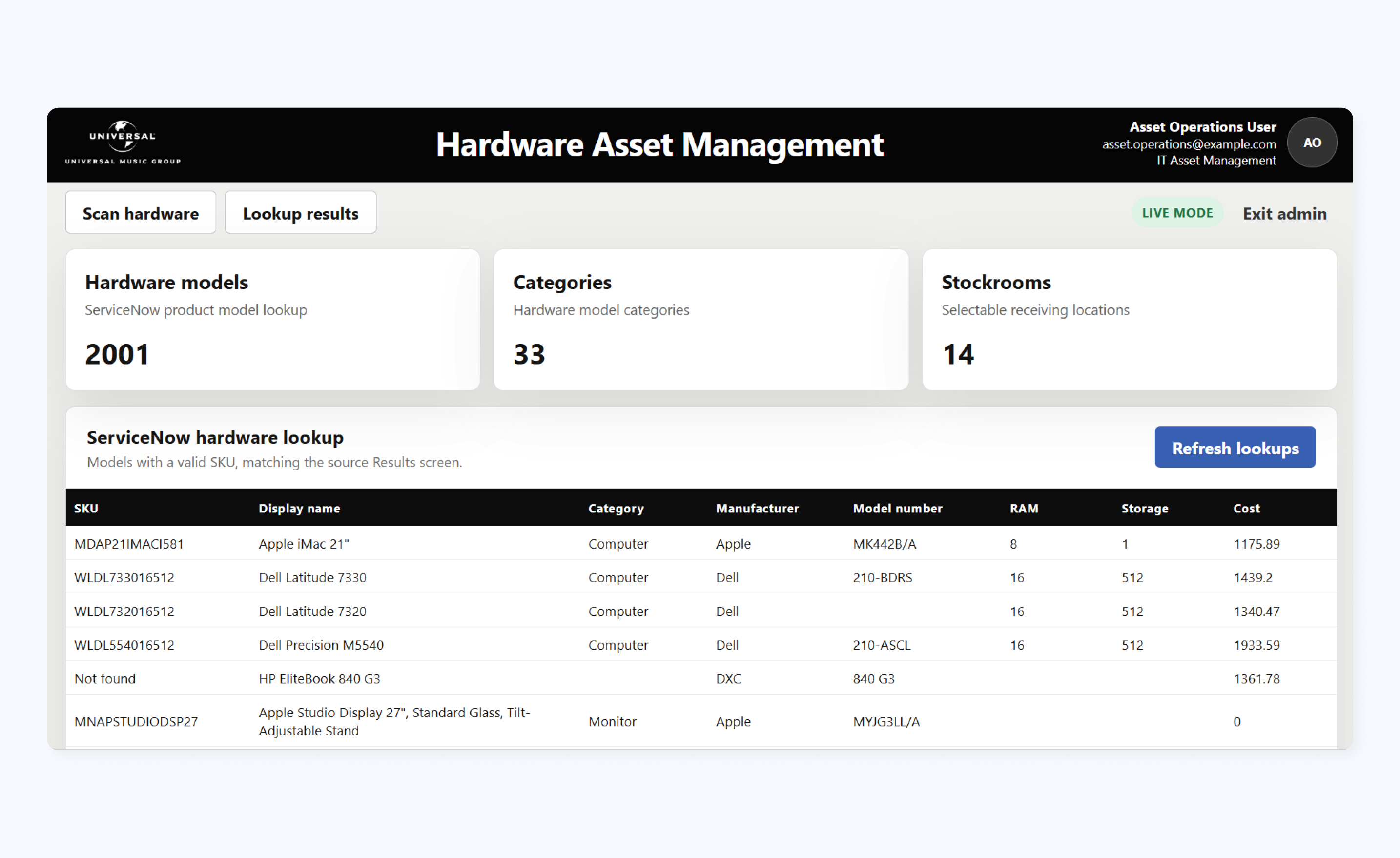
 Microsoft PowerApps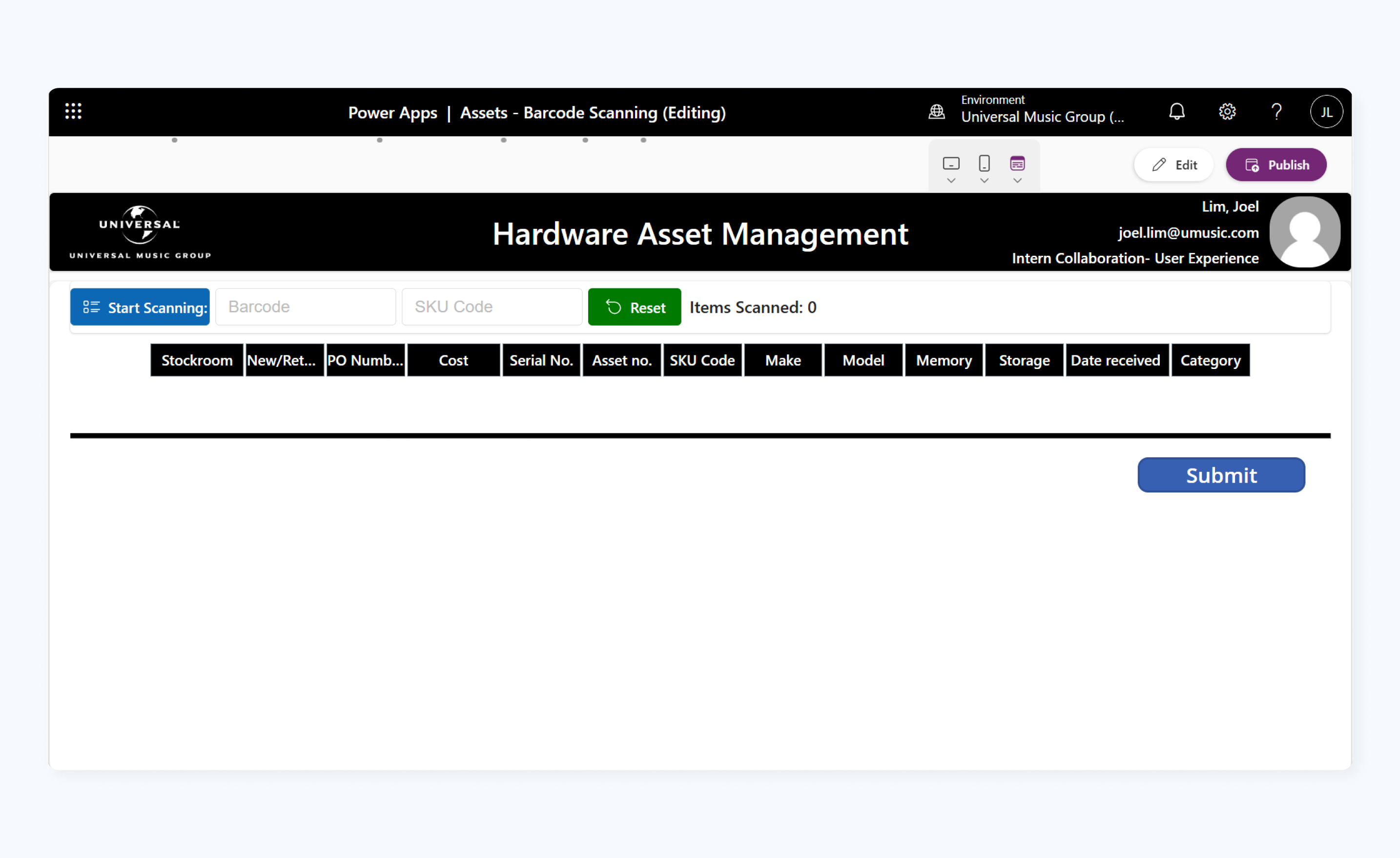
Problem
Outdated enterprise apps.
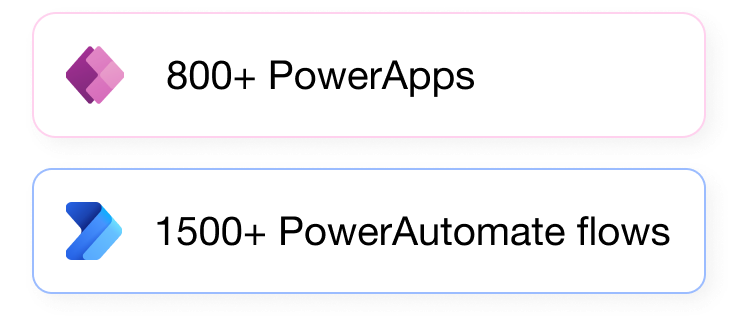
Universal Music Group relies on hundreds of outdated, low-code internal apps built on Microsoft Power Apps. Most of these tools were created for routine, single-purpose tasks, such as tracking company hardware, coordinating release schedules, and ordering catering.
Brand fragmentation.
There are over 50 labels and brands under UMG. Unifying the distinct identities across UMG’s labels wasn’t the goal of this migration, but the scattered visual landscape created friction. My focus was creating baseline UX clarity and structural cohesion without disrupting label-specific branding.
Goal
Redesign 5 high-priority internal tools and establish a migration blueprint for hundreds of legacy applications.
Process
Here’s the quick overview of my workflow.
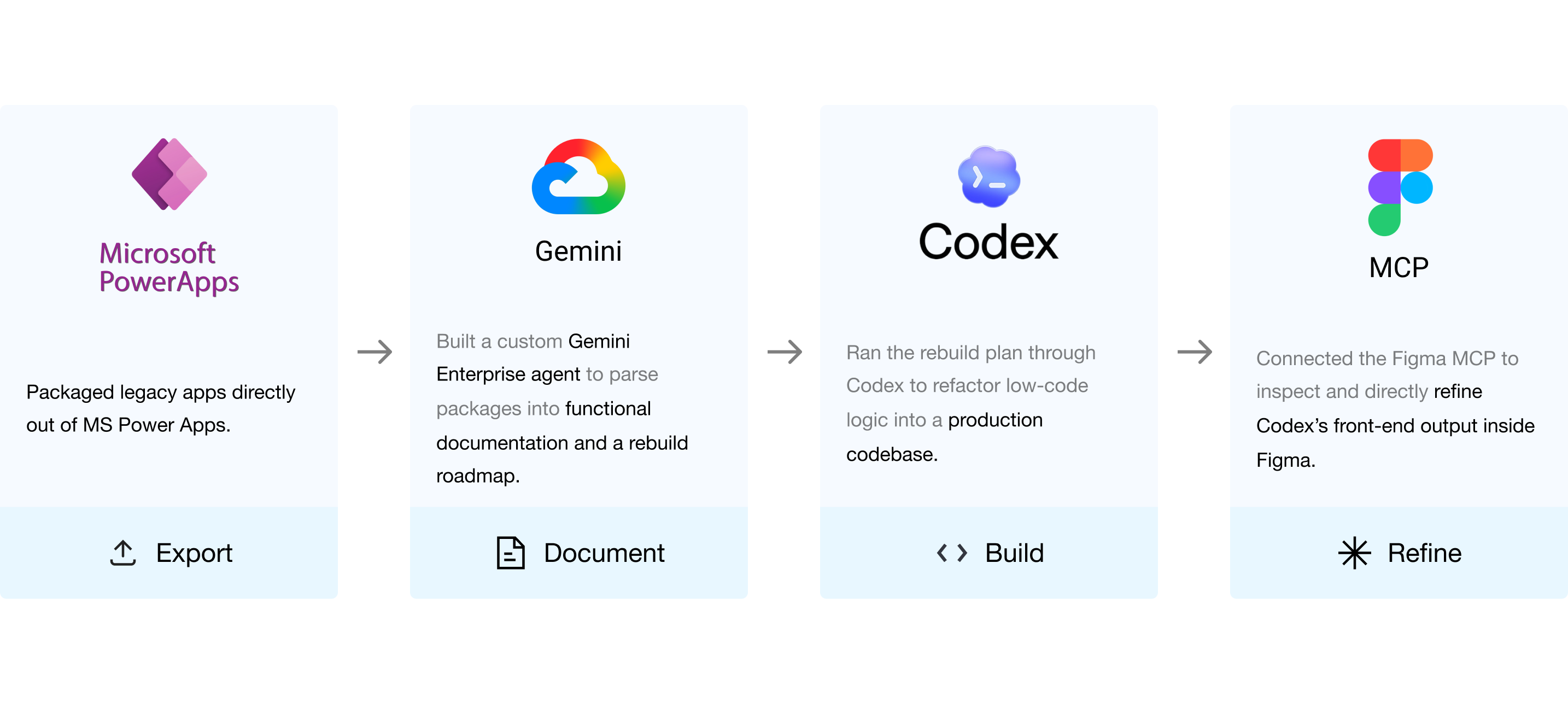

Export
Exporting apps as solutions.
Apps were exported as full solutions. This bundled both the Power Apps and their underlying Power Automate flows together, giving our documentation agent the full context it needed to actually understand how each tool worked.

Document
Why documentation made or broke the migration.
The documentation phase was the most critical step in the workflow. It was the only stage capable of operating at true scale without being gated by stakeholder feedback, and every downstream phase hinged directly on the quality of the generated rebuild plans.
Finding the right AI for the job.
To ensure high-accuracy rebuild plans, I ran a controlled benchmark: three agents, identical prompt parameters, and a test suite of 30 sample applications evaluated across OpenAI, Glean, and Gemini Enterprise (Vertex AI).
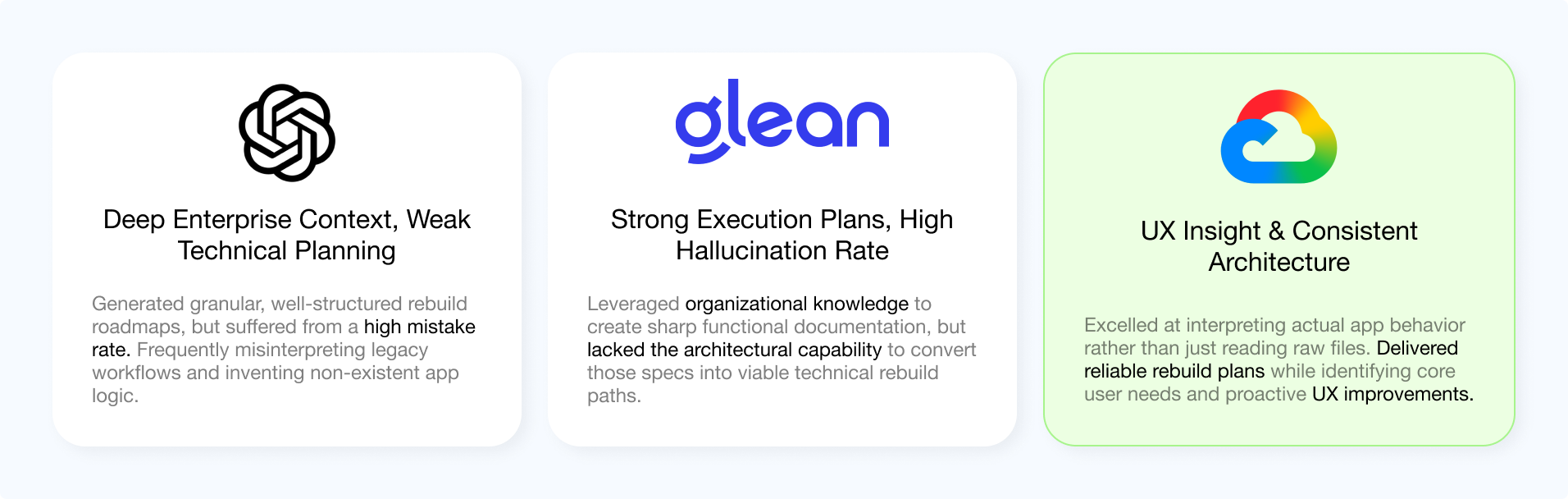
Backed by these results, I moved forward with using our Gemini Enterprise Agent.

Build
Why Codex over Gemini?
While sticking with the Gemini ecosystem would have created a smoother handoff from documentation to code, I chose Codex for long-term organizational adoption. Codex was UMG’s standardized, "birthright" AI coding tool available to every developer across the company. Standardizing on it ensured downstream maintainability, meaning any internal team could easily step in to tweak, refactor, or debug these applications long after our initial migration.

Refine
Refining could not run at bulk.
Unlike documentation, refining UI’s on Figma required direct user research with the people who ran these legacy tools daily. Here’s my workflow:

App Selection
My manager picked out the outdated, high-use tools from the catalog and introduced me directly to the teams using them every day.


User Research
I shadowed and interviewed the daily users to map out their workflow, focusing on points of friction and core user pain points.

Design
I added these pain points to Gemini’s rebuild specs, but Codex wasn't perfect. In Figma, I made targeted UI fixes directly tied to that friction.

Iteration
The final step was iterating the Gemini agent so these UI and UX errors wouldn't repeat.
Design
Example: Hardware Asset Management App
Let's take a closer look and walk step by step through my refining process with an example app.
App Selection
The first tool my manager selected for deep UX refinement was the Hardware Asset Management app. This app was a great first pick due to its simple functions and high usage.
Users
Asset Operations team
Function
Scan and track hardware inventory
Usage
High daily usage, managing over 2,000 assets across the app
Microsoft PowerApps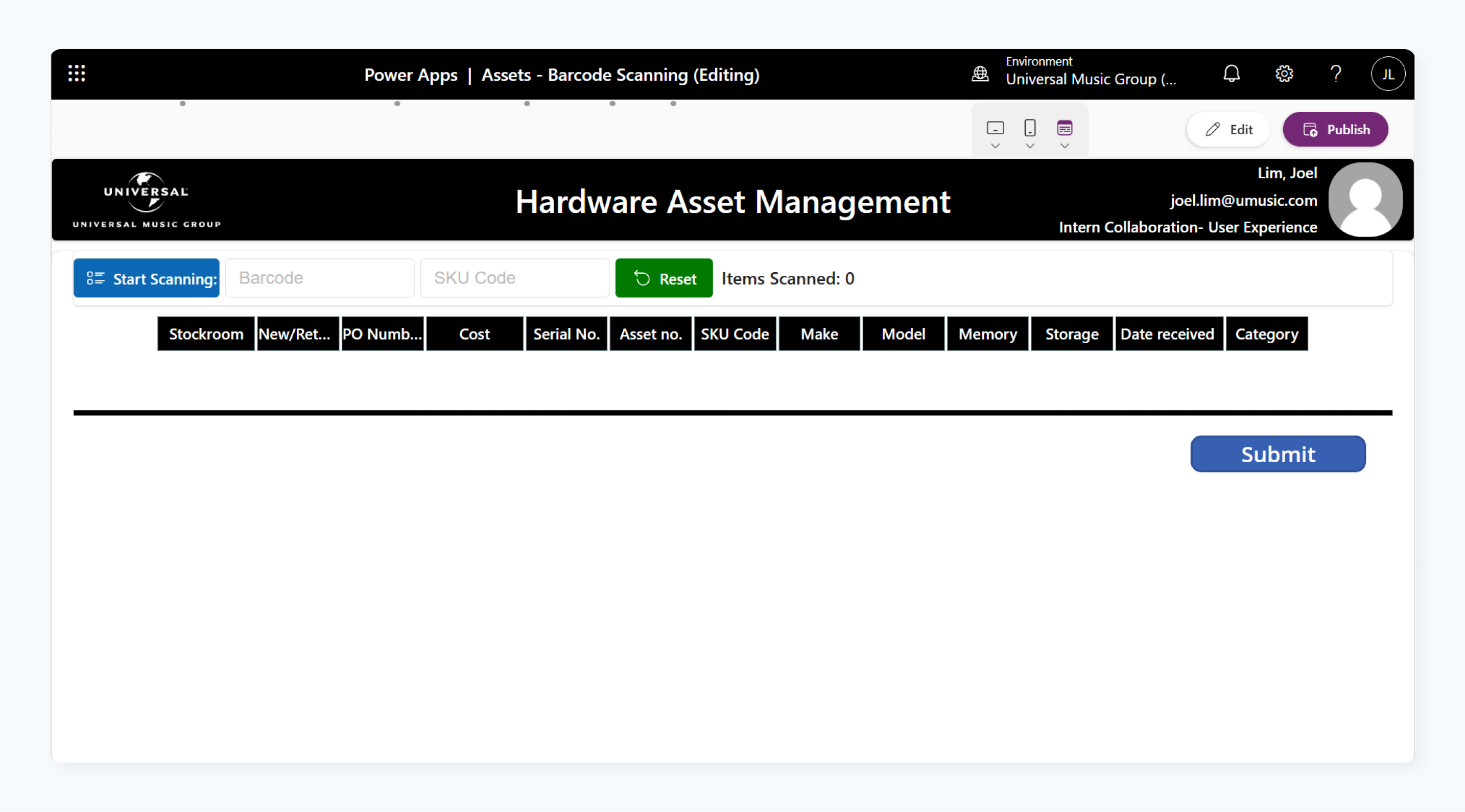
The original application running on MS Power Apps before migration
User Research
Interviewing daily users.
I ran a contextual interview with a daily user from the tech ops team. To be clear, this was conducted directly on the live Power Apps version. After observing them perform their routine tasks as usual, I asked targeted questions to dig deeper into where the friction and pain points were coming from.
I identified three key pain points that I could help mitigate with targeted UI edits.
Information Architecture
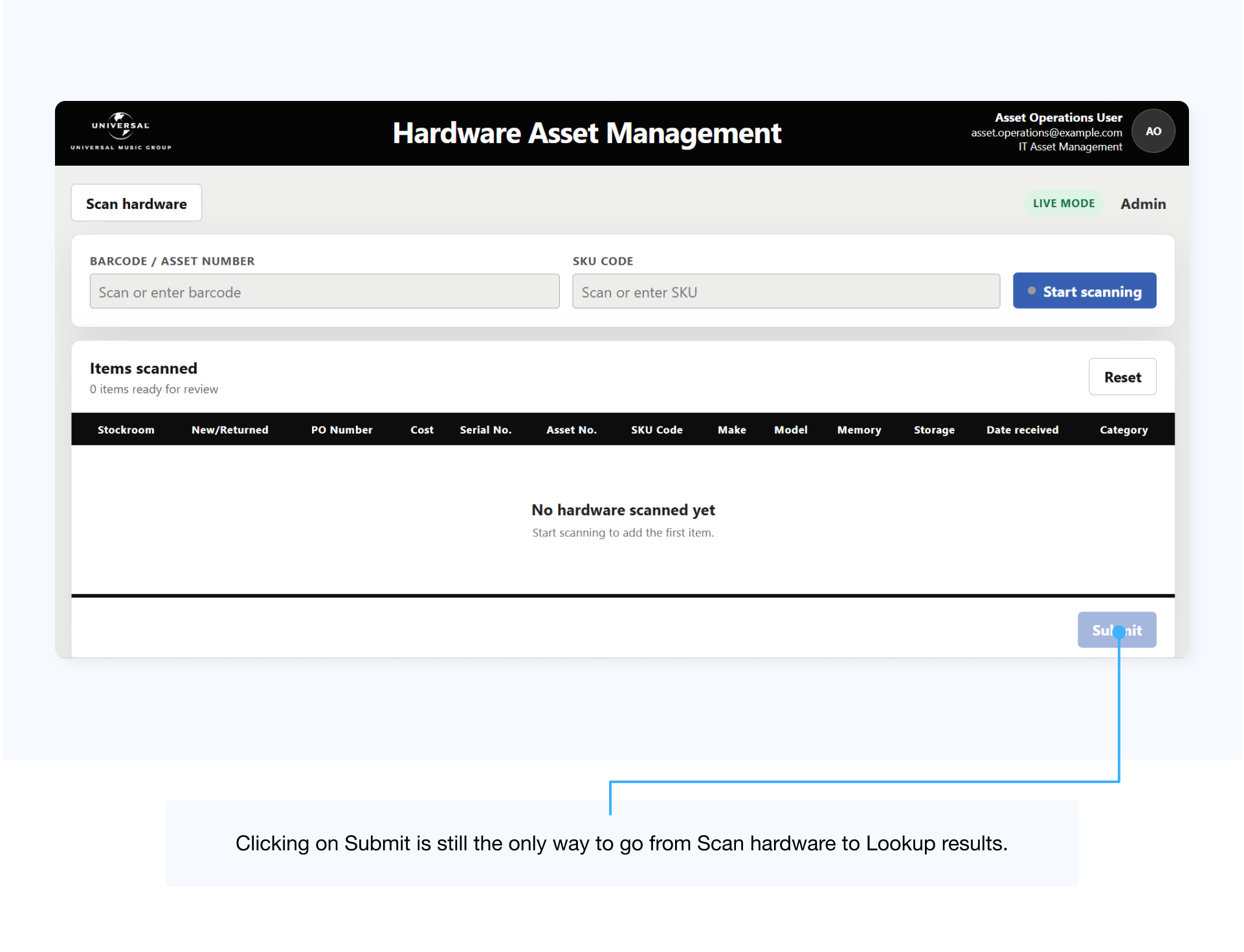
The user had to click through "Scan Hardware" to access hardware lookup. When asked about this, he explained that he regularly submitted empty scans just to reach the lookup page.
Lack of Screen Space
The user reported running out of visible space and having to scroll constantly during large batch scans.
Outdated Styling
The user noted that the interface felt dated. Inconsistent spacing and typography also made reviewing asset data confusing.
Design
With these pain points identified, Codex provided a solid baseline. While largely cloning the Power Apps version to preserve core functionality, it introduced a few targeted UI changes:
What it Fixed
Modernized the visual styling with consistent typography, standardized spacing, and rounded corners, which noticeably improved data readability.
What it Half-solved
Attempted to address the IA problem by adding a "Lookup Results" navigation button. However, the button only appeared after reaching the results view, which still required submitting an empty scan first.
What it Failed to Fix
Added unnecessary KPI headers at the top of the view, consuming valuable vertical screen real estate and worsening the workspace constraint.
 Codex
Codex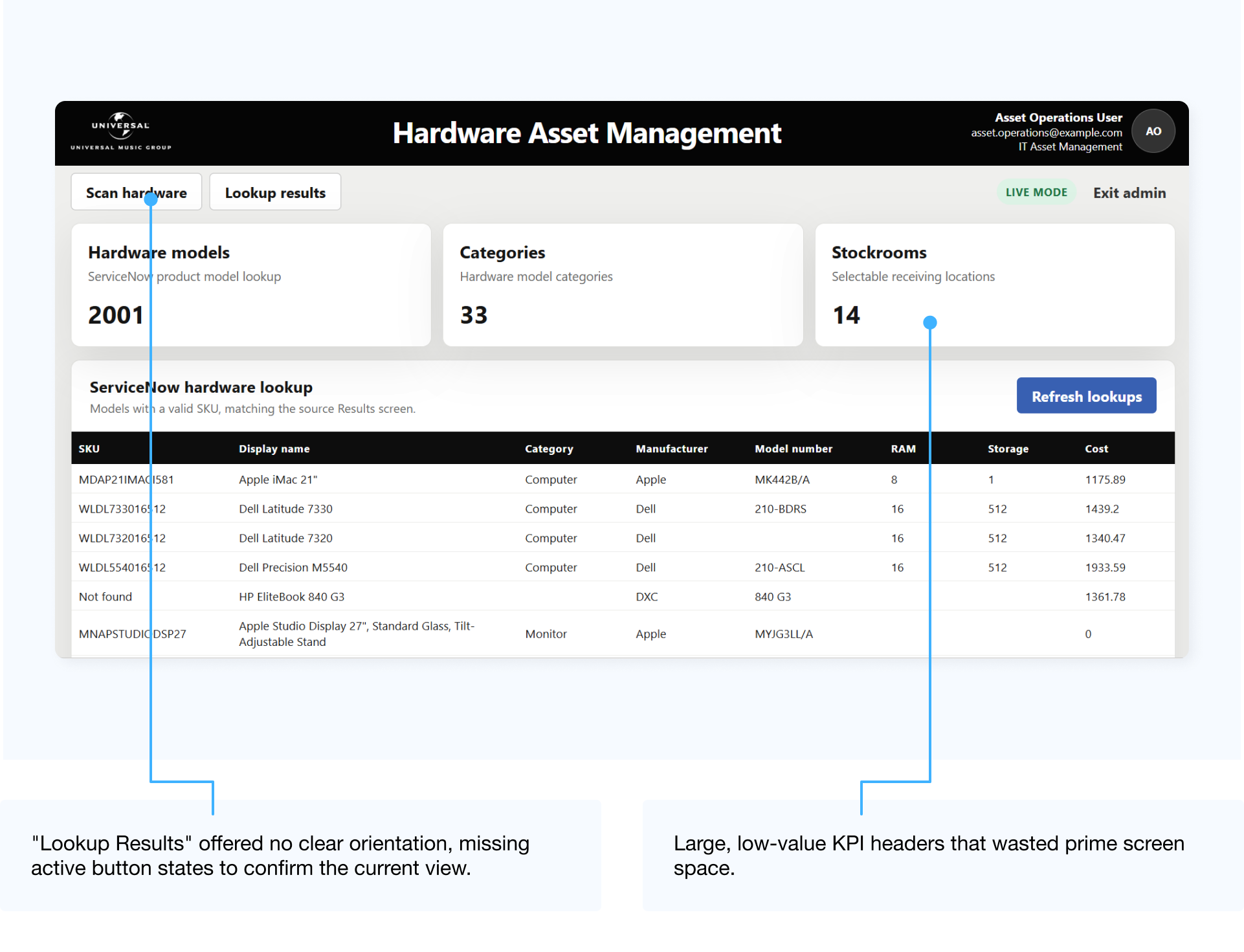
 Figma
Figma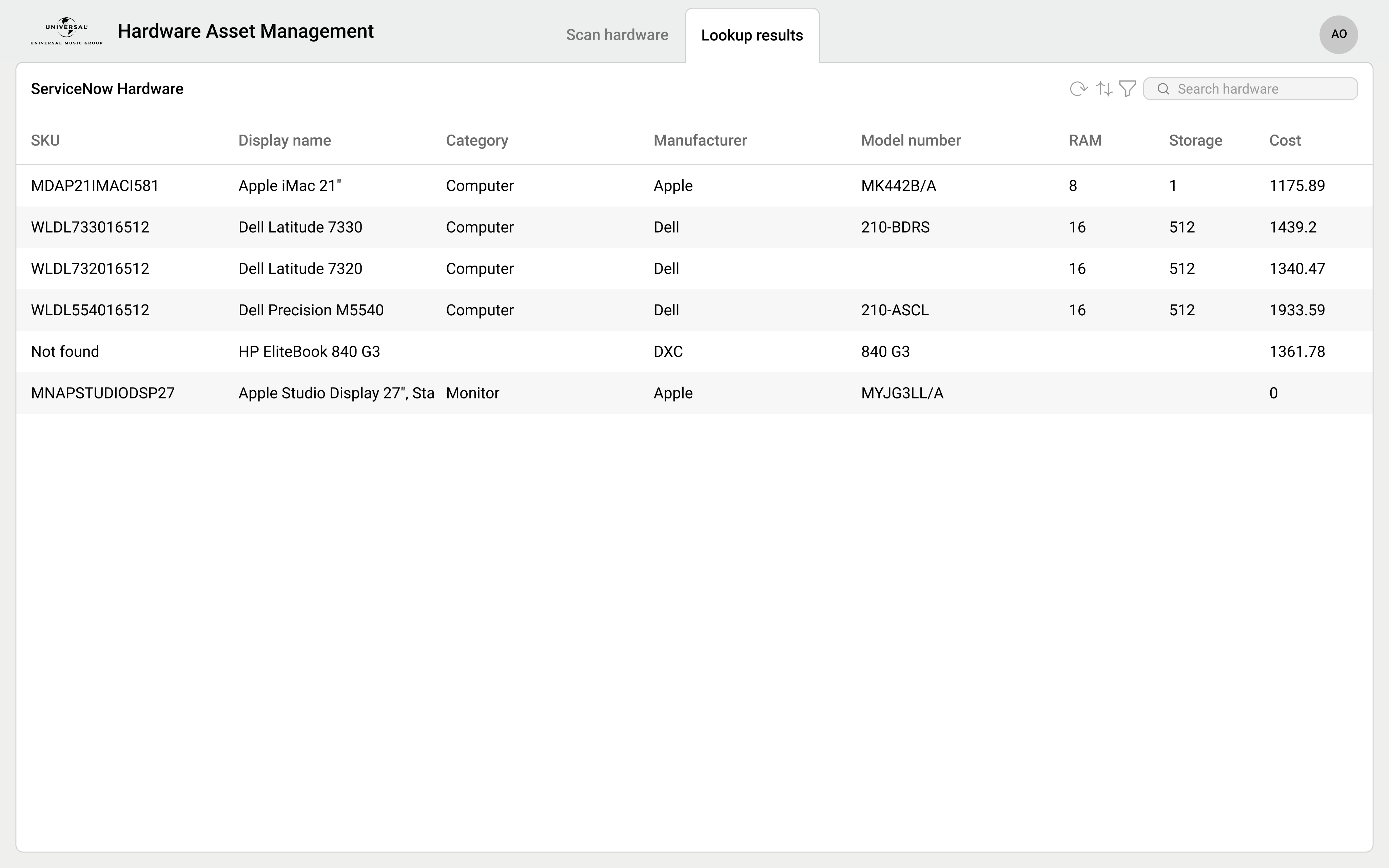
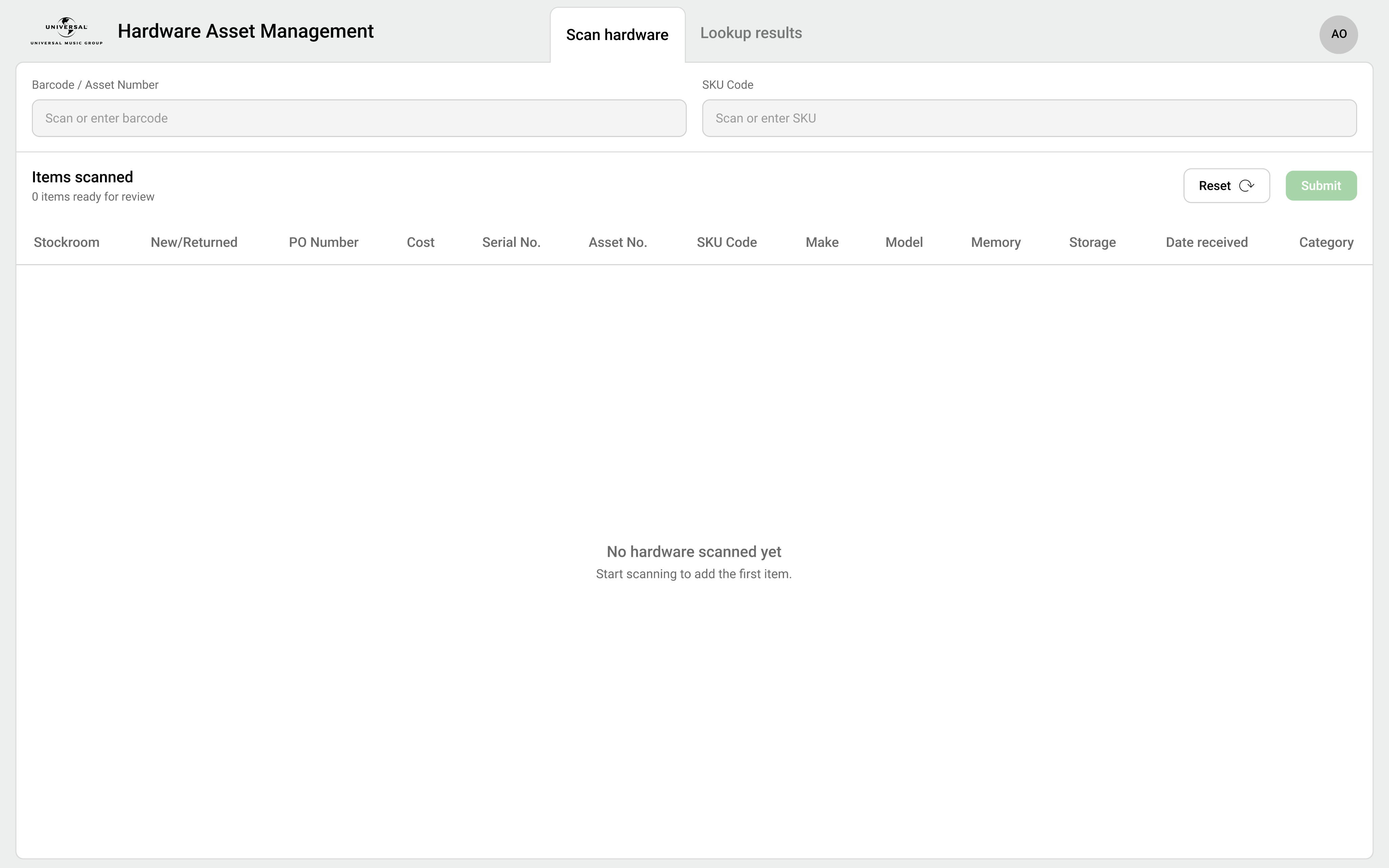
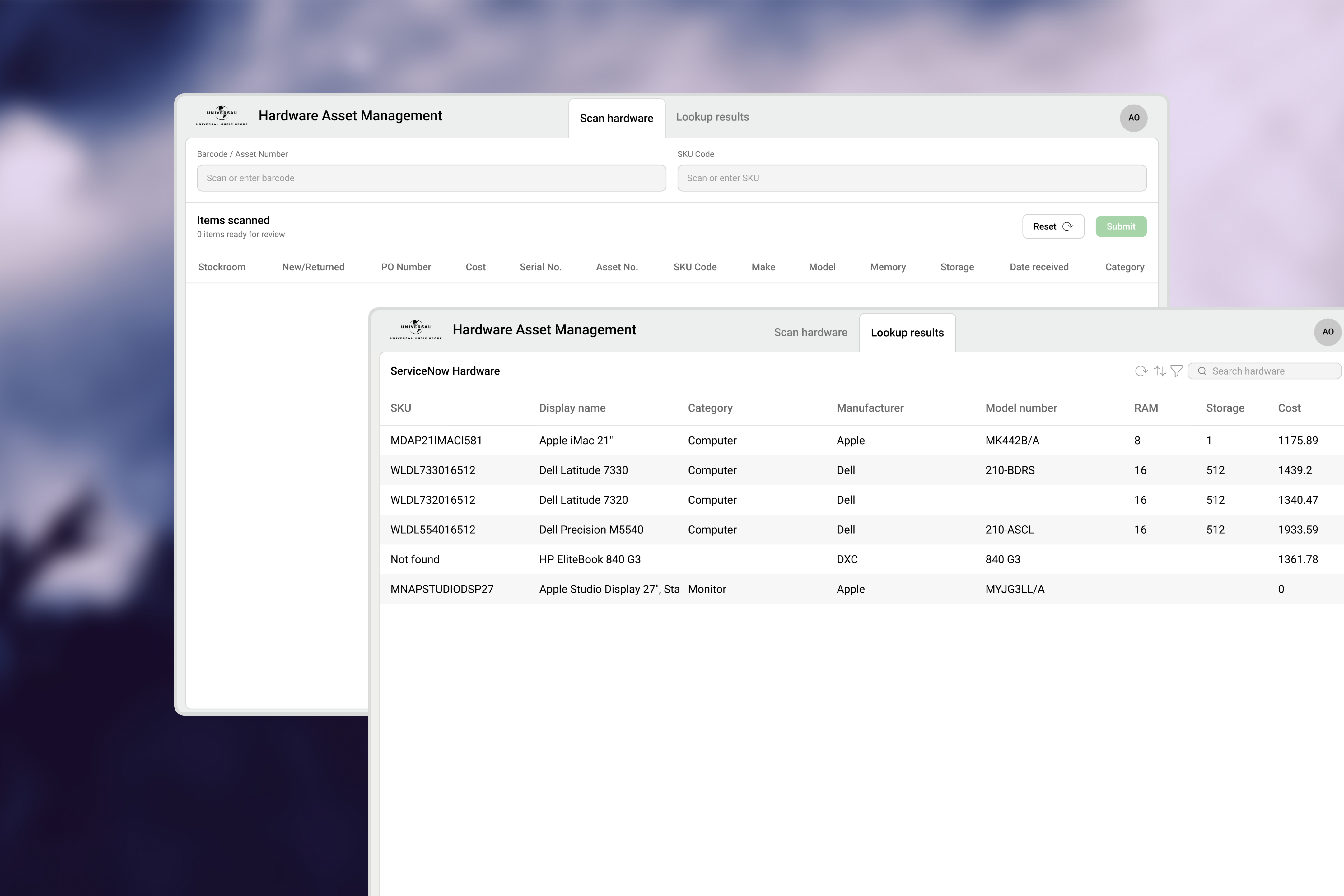
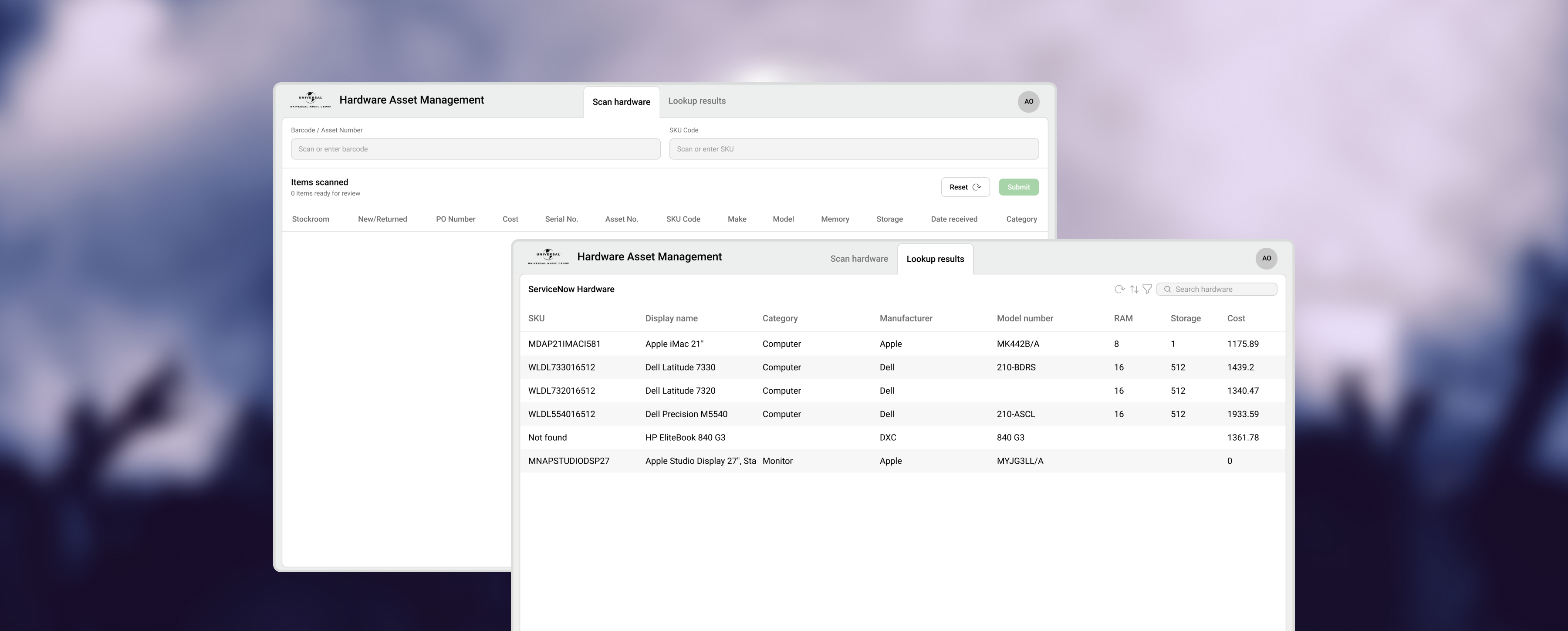
In Figma, I addressed the remaining pain points that Codex left unresolved. I introduced a traditional tab layout to enable direct switching between "Scan Hardware" and "Lookup Results," then eliminated the unnecessary KPI headers and slimmed down the top navigation bar to create maximum screen real estate for asset data.
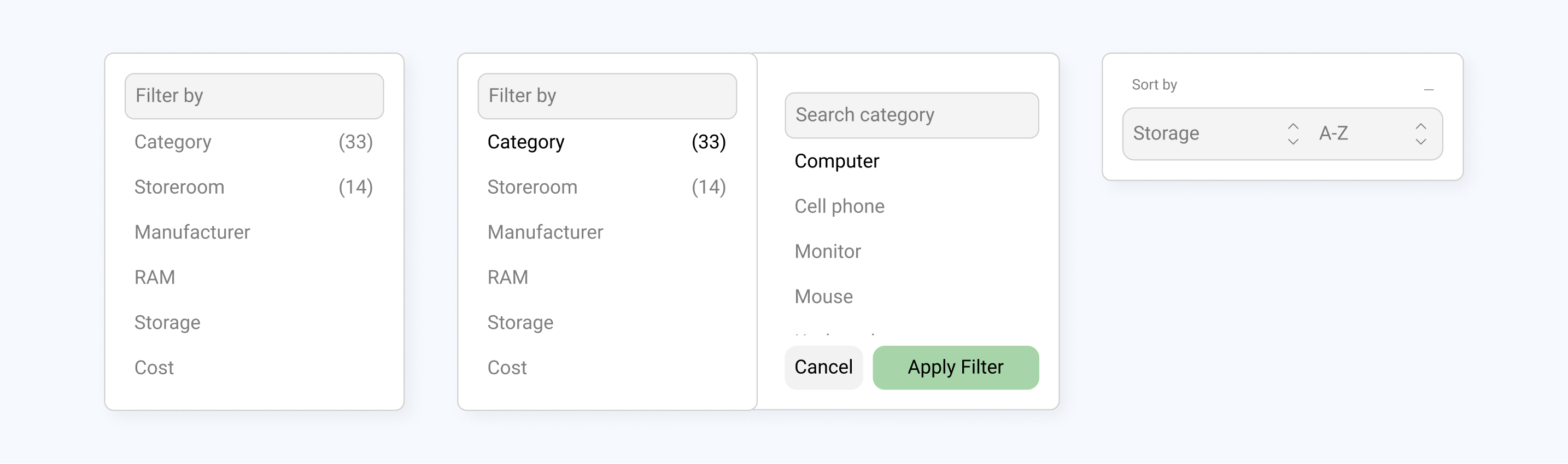
I also implemented conventional filter facets and sort controls to simplify data discovery and make search significantly easier.
Previously senseless KPIs were repositioned where they actually belong, providing meaningful context rather than visual noise.
With the Figma MCP, Codex easily translated these UI updates into code.
Iteration
Agent Iteration
With our main goal centered on streamlining the end-to-end migration, most of our iteration went into refining the Gemini documentation process. Dialing in the agent’s output early on proved to be the highest-leverage way to prevent errors from compounding later in the workflow.
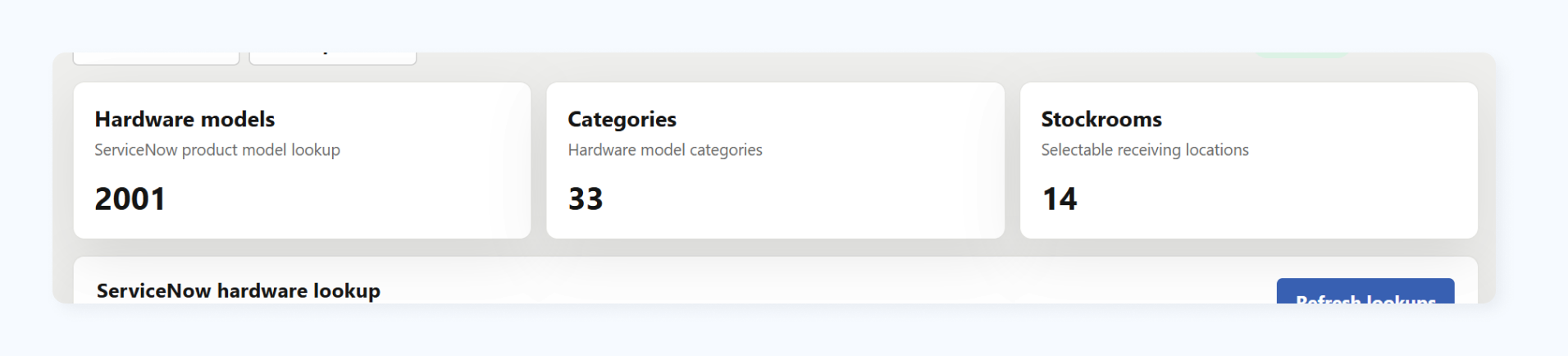
Early agent runs tended to generate bloated, low-value KPI headers that wasted prime screen space. I later iterated on Gemini's prompt framework to explicitly identify and strip out these UI mistakes
User Testing
Even with an AI-accelerated workflow, every completed application underwent thorough user testing. All five pilots were reviewed with stakeholders and daily users. Feedback was positive enough to continue the pipeline; I did not run a scored survey.

Impact
Enterprise UX at Scale
Redesigned navigation, removed vanity KPIs, and standardized search filters across 5 pilot apps.
Figma MCP Pipeline
Linked agents to Figma via MCP so code generation could read live tokens, cutting a manual handoff step and reducing visual drift.
AI Agent
Benchmarked 3 AI models across 30 legacy apps; built a custom Gemini Enterprise agent that cut architectural hallucinations to drive rapid Codex code generation.
Takeaways

Leveraging AI
Leveraged AI for repetitive code migration, allowing me to focus on high-impact UX improvements and interface polish.
Enterprise Level Collaboration
Navigated large-scale organizational workflows, shifting focus from surface-level UI to sustainable, long-term architectural scalability.
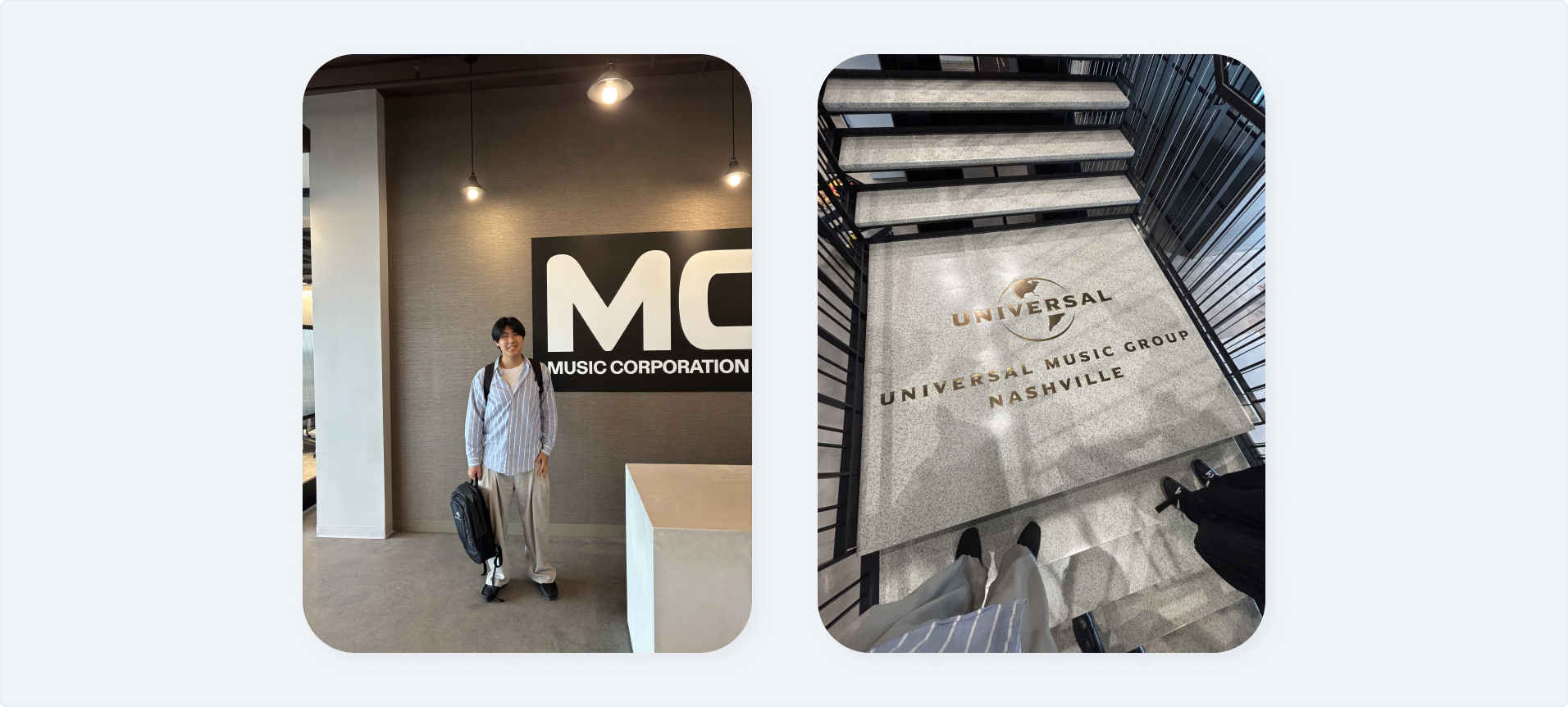
UMG Nashville headquarters